Appearance
Tracing a Pirate Copy to Identify the Pirate
Should you find a pirated copy of some of your content on the internet, you can trace it to identify the person (or, more precisely, the "autograph_tag" value that you had assigned to the original download link) that illegally copied the content. To do this, you need to do the following:
Either download the pirated copy you found or note down the direct download link to the file. If the copy is on a tube site and you cannot identify the direct link to the content, the link to the page with the video might work too.
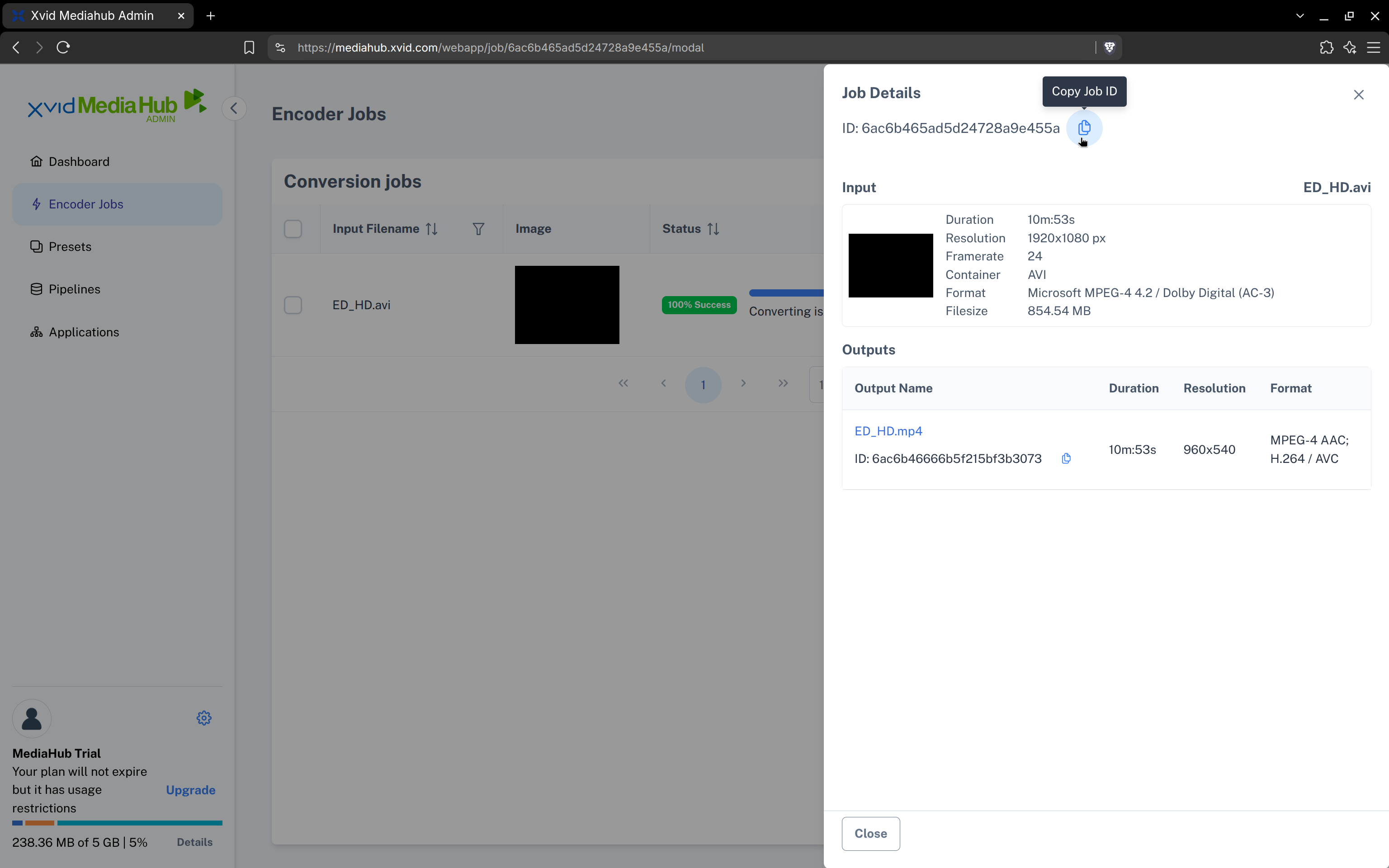
Look up the Job ID (or the filename of your original input file) of the original video from which the pirate copy was made. You can see all your videos in your MediaHub account under the "Encoder Jobs" page. Clicking on the "Info" icon next to the respective job will show the Job ID:
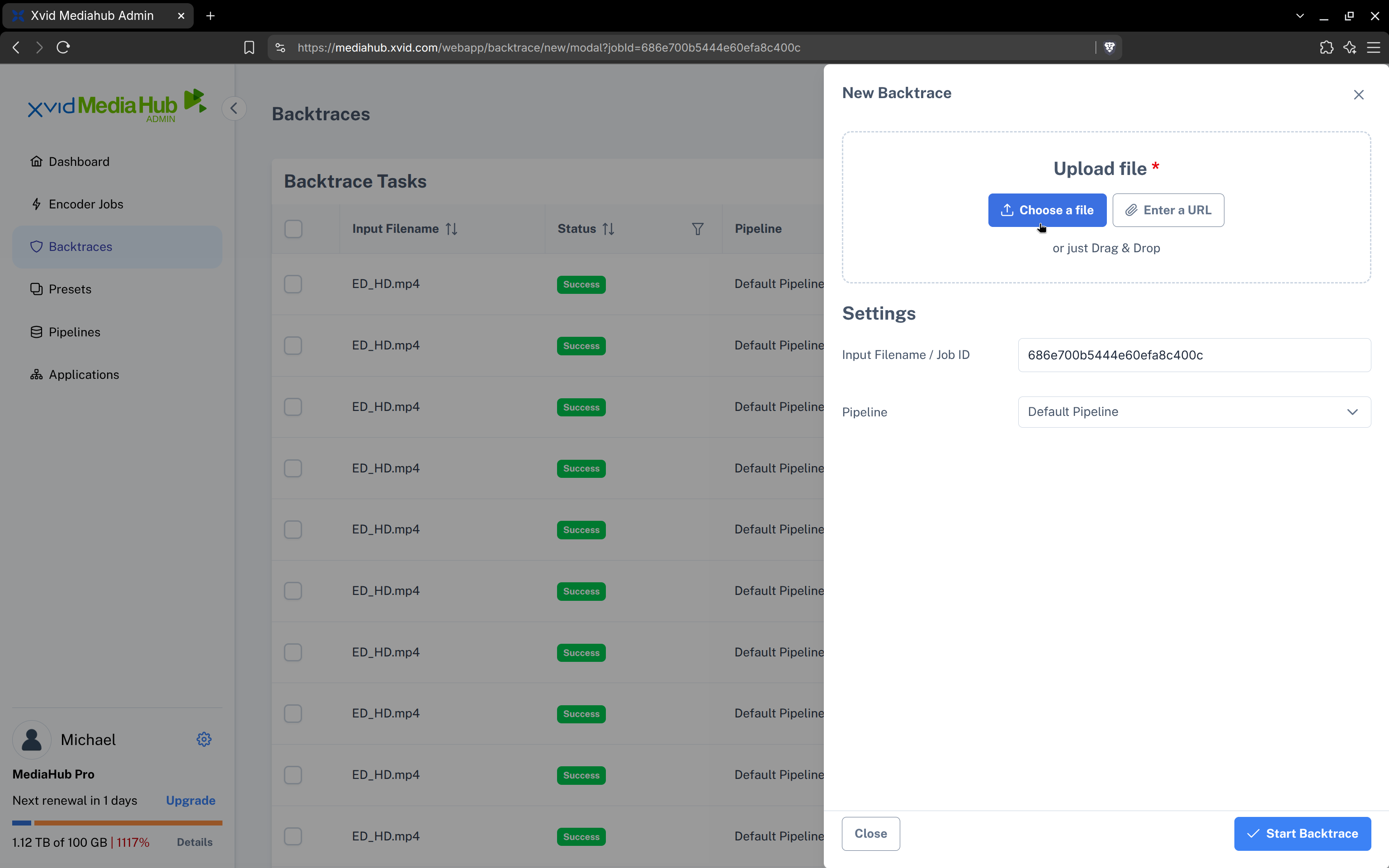
Switch to the "Backtraces" page and start the trace by clicking on the "Create new Backtrace" button. Then enter the Job ID (or filename) you've looked up in the previous step and click the "Choose a file" button to upload the pirate copy you want to trace. Alternatively, you can also choose "Enter a URL" and paste a direct-download link to the video file you want to trace. Finally, click the "Start Backtrace" button.
Now the backtrace will start and you'll see a progress bar. Depending on the duration and resolution of the copy, this can take a while (1 hr+). Once the progress bar has run up to 100%, you will be shown the autograph_tag of the pirating user in the "Tag" column. You can click the "info" icon to see further information.